
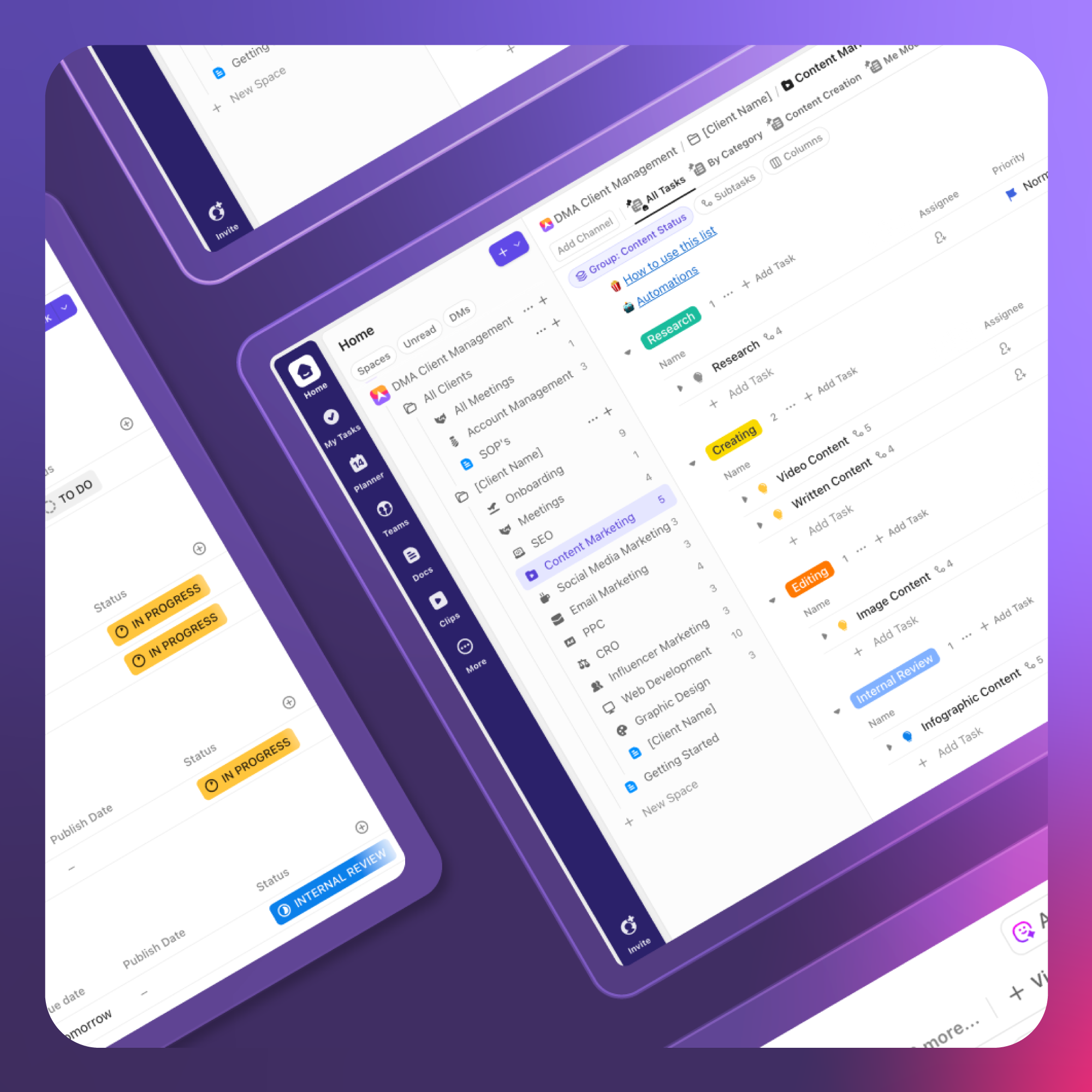

Digital Marketing is a dynamic, fast-paced industry. With the rise of user-generated content, and the insatiable demand of social media, content is churning faster than ever. In this fast-paced environment, only the leanest, most efficient agencies survive. But greater efficiency can often come at the expense of client care.
With the need to increase efficiency, while maintaining client satisfaction, many digital marketing agencies have turned to productivity tools like ClickUp. In this detailed guide, we run you through the most effective way to structure your Digital Marketing Agency’s workspace within ClickUp – streamlining your workflows to boost productivity while improving your clients’ visibility.
Setting up ClickUp Client Folders & Architecture
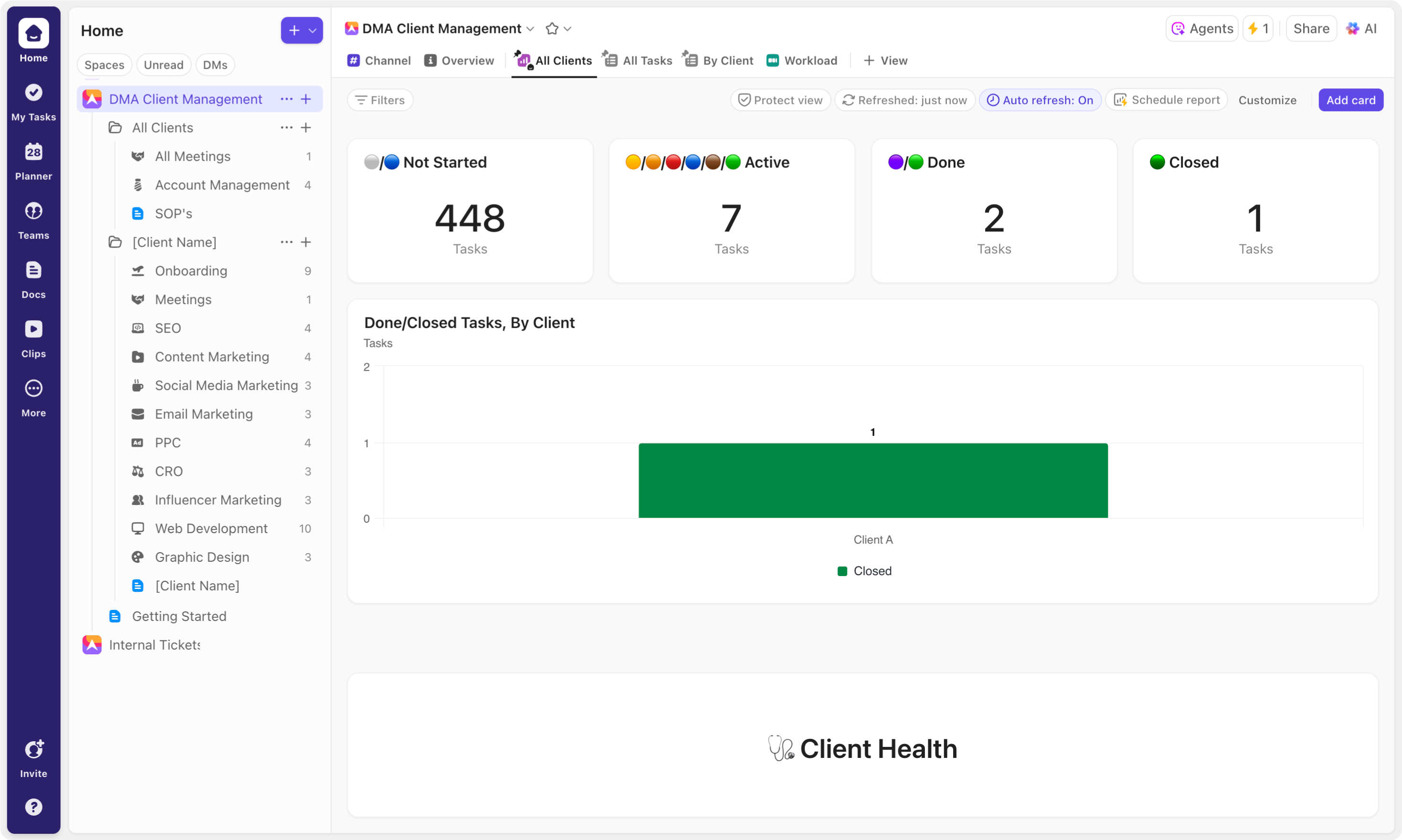
Architecture refers to the basic structure, or hierarchy within your workspace. For Digital Marketing Agencies, the most impactful step in optimizing your setup is to create a dedicated client space – a defined location within ClickUp, designed to house all client-related workflows, from onboarding and meetings, to product and service delivery. Creating a well-structured client space allows the flexibility to create and organize folders and lists for every stage of the client journey, while also preserving space for internal operations through separate areas like an “Agency HQ.” This approach ensures your agency can scale efficiently, stay organized, and maintain clear boundaries between client and internal work.
Within your client space, there are two primary ways to structure your folders. One, by product or service, with client-specific lists housed inside; and two, by client, with product or service lists nested within. We suggest the latter for two important reasons — ease of use, and centralised client locations. Structuring folders around individual clients simplifies navigation and ensures all relevant tasks and workflows are housed in one location. On the other hand, spreading client lists across various product and service folders quickly becomes tedious and hard to manage. More importantly, a centralised client folder allows for effective reporting making it easy to track your work across the full range of client services. With all client tasks housed in a single folder, data is seamlessly collated on the hierarchy’s folder level, allowing you to easily produce insightful client reporting to provide your team, and your client, with exceptional visibility.
As already outlined above, the next step is creating lists to facilitate each client’s product and service workflows. We suggest taking this one step further, creating lists to facilitate the full range of client interactions – with additional onboarding and meetings lists. In doing so, you create a folder that houses all of your client-related workflows, unlocking the potential to track the full range of work.
Custom Product and Service Workflows
Good architecture is a great starting point for streamlining your workflows — but it’s only the beginning. Setting up client folders with their own client-related workflow lists helps create structure, but the real efficiency boost comes with customizing and optimizing each of your lists to mirror the way your team works, and reduce manual steps. This means creating clear, intuitive workflow stages, adding unique custom fields, that capture the right information, setting up curated views, and using advanced automations, to reduce manual effort and save time.
You can use either the native status field or a custom workflow status field to reflect the different stages in each of your workflows. This allows for accurate task tracking and monitoring, offering helpful context, so you always know exactly what work has been done, and what still needs attention.
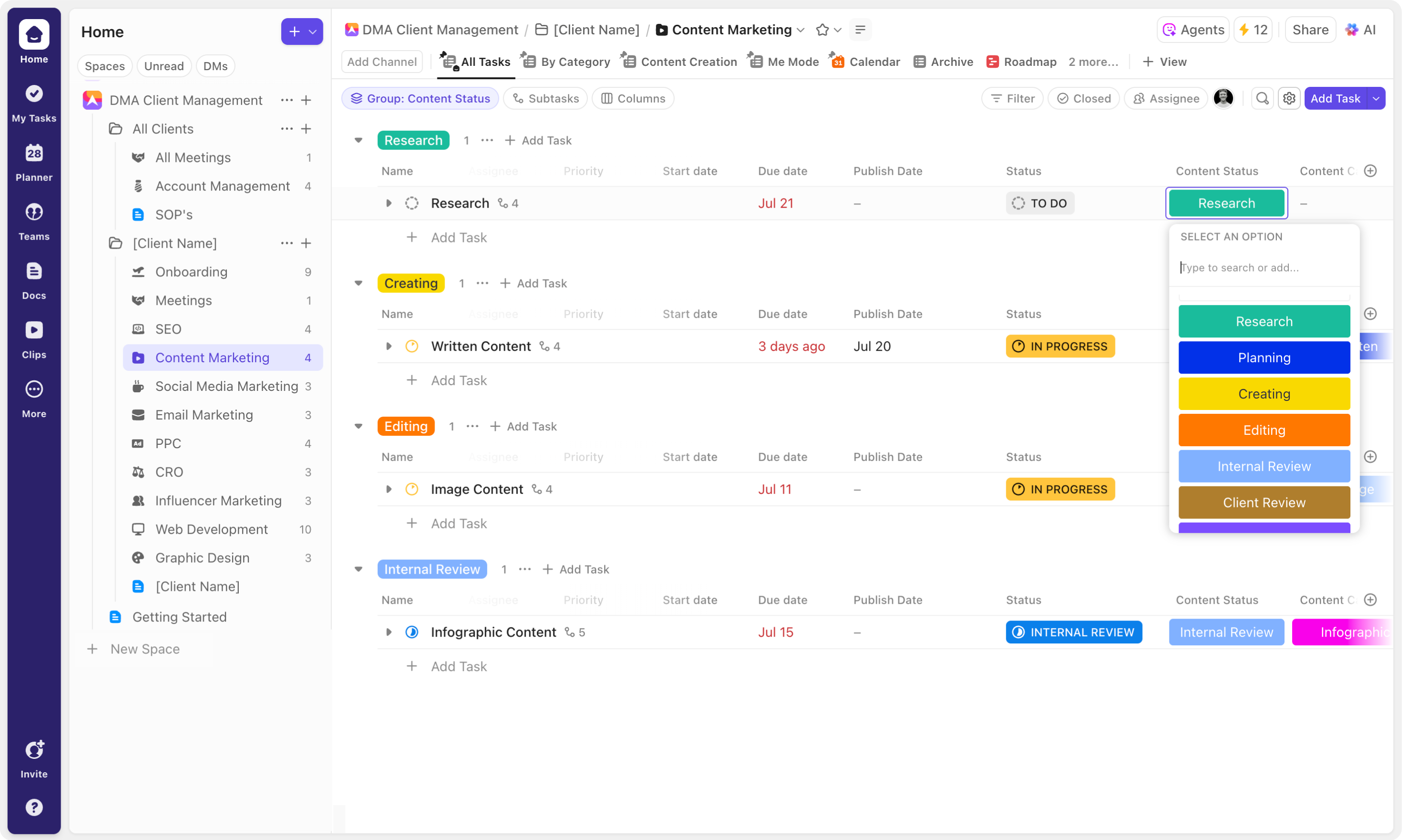
(Tip: we suggest keeping your native statuses as consistent as possible, as this significantly improves your ability to generate accurate and high-quality reports. You can also make use of custom statuses to show your workflow stages by creating a dropdown with all of the steps from start to finish. For added visibility, use advanced automations to map each native status to its corresponding custom status.)
Custom fields add context and clarity to your work, making sure your tasks are rich with relevant data. Use text fields to add notes or descriptions, create a label custom field to indicate the relevant promotional channels, create a custom date field to capture the publish date or add the native “Date Updated” field to keep tabs on your tasks.
Views help you present your tasks in different ways. With a range of options, from table, board, and list views to calendar, workload, and team views, you can view your tasks from every angle. What’s more, customizing your views allows you to tailor how information is displayed - from which fields are shown to how tasks are grouped, filtered and sorted. You can make design adjustments to focus on the exact datapoints that matter the most. Use board or list views to track task progress, calendar views for visibility on publishing or due dates, and workload views to analyse your team’ capacity and balance their workload effectively.
_1759756124040.gif)
Intuitive status options, insightful custom fields and tailored views allow you to accurately recreate your workflows in ClickUp. Use automations to help to boost efficiency even further. Whether it's automatically updating assignees when a task changes status, sending automated emails on a trigger, or applying comprehensive task templates when a task is created, automations eliminate repetitive steps - helping to save you time and streamline workflows.
One-to-One Workflow mappings
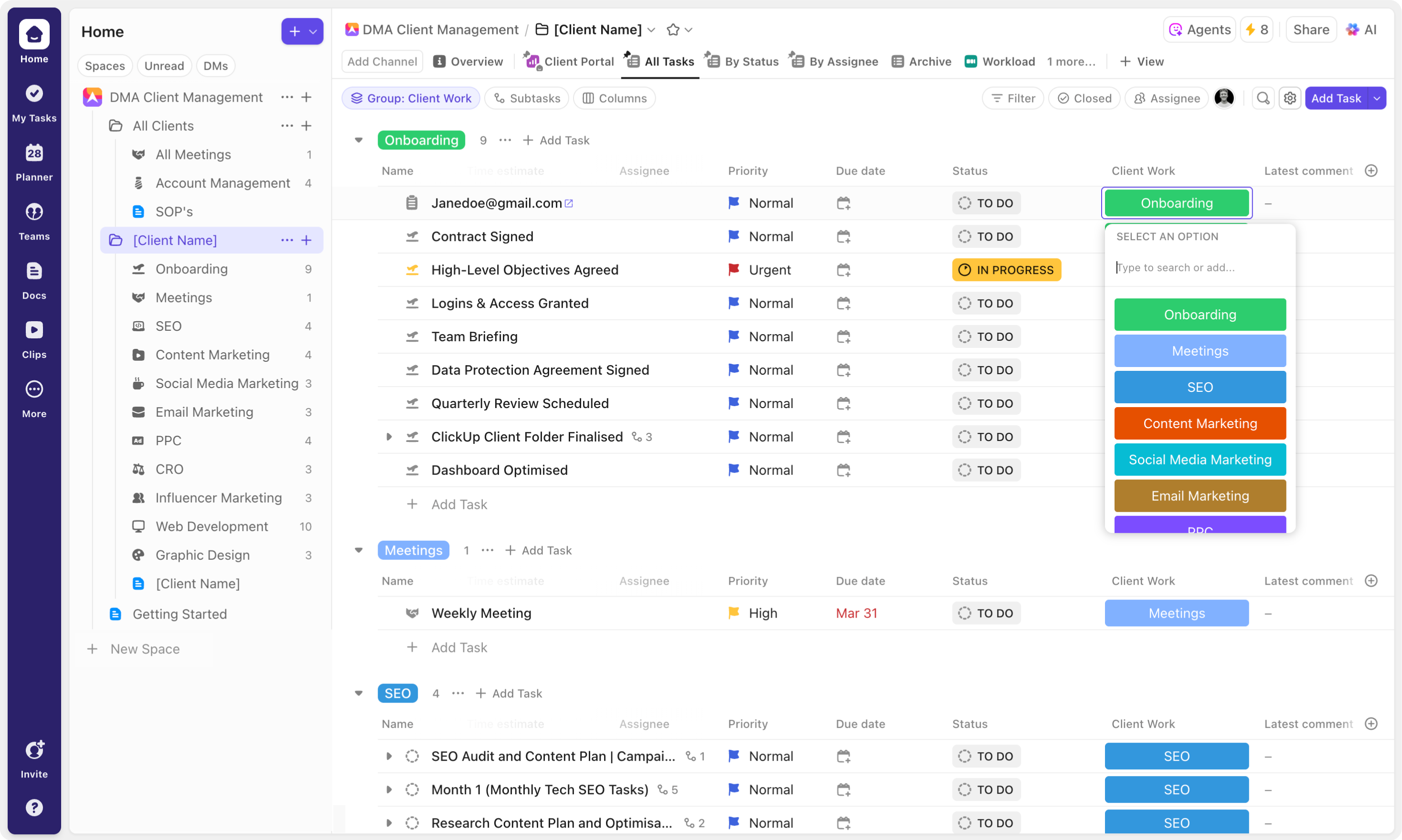
Beyond the obvious workflow customizations, there’s one final enhancement that we recommend to truly take your client folders to the next level: We call them one-to-one mappings. They are essentially additional data-points built into the background of your system, helping to distinguish between your different client workflows for improved visibility and reporting. In order to achieve this, create a dropdown custom field on the client folder, with a dropdown option for each of the lists within that folder. Then, apply automations to all of your client lists, ensuring that when ‘created’ or ‘moved’, all of your tasks receive the dropdown option that shows the list they’re housed in. This ensures that, for example, all tasks created in the “Graphic Design” list, receive the graphic design dropdown option, allowing you to group by workflow on the folder level. You now have the ability to focus on each unique client product and service workflow, ensuring you produce more relevant, informative and accurate reports.
Sophisticated Client Portals
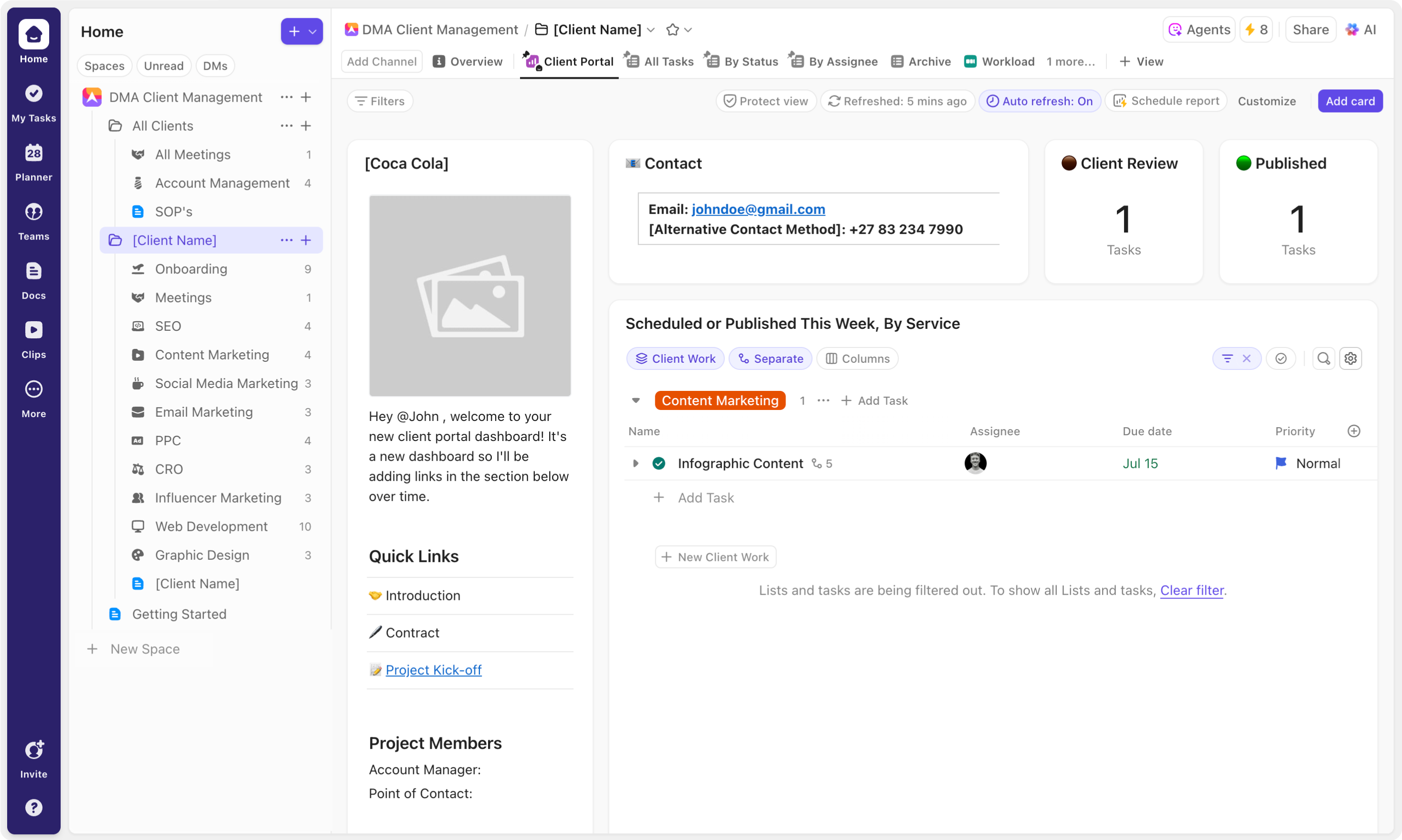
It’s one thing to build a system that streamlines your internal processes and workflows - but how do you make sure that this doesn’t come at the cost of client satisfaction? That’s where client portals come in. As already outlined, the beauty of the client folder architecture is that all of the client-related data is consolidated on the folder level. As such, detailed, dynamic reports become extremely easy to produce. These reports come in the form of folder level dashboard views or “Client Portals”. Housing all of the relevant data, you’re able to use ClickUp’s powerful dashboard cards to present your information in a number of different ways. Combine these with the preconfigured one-to-one mappings to produce an incredibly insightful report. Look at time tracked, task completion, and general progress by service workflow, embed a calendar view to produce a detailed content calendar, employ calculation cards to count the number of tasks in each status, and incorporate task list cards to show tasks due, or updated this week. To facilitate client feedback and approvals, we suggest creating a dedicated task list for client approvals. You can then combine ClickUp’s powerful filtering capabilities with the native status field and a “CLIENT REVIEW” status option, ensuring that only “CLIENT REVIEW” tasks are visible. In so doing, you allow clients the ability to receive detailed project information, provide feedback and review work all in one location. Combine an “Approval” custom field with sophisticated automations to automatically update the native status based on the the selection of either “approved” or “changes needed”, creating a seamless feedback loop for client reviews.
Templatizing Client Folders
Perhaps one of ClickUp’s most powerful features is its ability to create templates for everything from spaces, right down to tasks and checklists. This feature is especially valuable in a digital marketing context, where client-related workflows follow a fairly replicable pattern. Instead of thinking short-term – building client folders for each individual client – it’s helpful to take a long term approach, building out a fully optimized client folder that can then be adjusted to meet the needs of each individual client.
So, what does this look like? Well, it essentially follows the steps we’ve outlined above, but instead of building and customizing specific client workflow lists, you create a client folder that houses all of the product and service workflows that you offer, and any additional client-related workflows. Then, whenever a new client is onboarded, it’s as easy as deleting, or archiving unneeded lists. In addition to slashing onboarding time, the uniformity of these client templates allows you and your team to quickly develop an in-depth understanding of the workflows, and additional folder elements, fostering efficiency.
Client Relationship and Custom fields
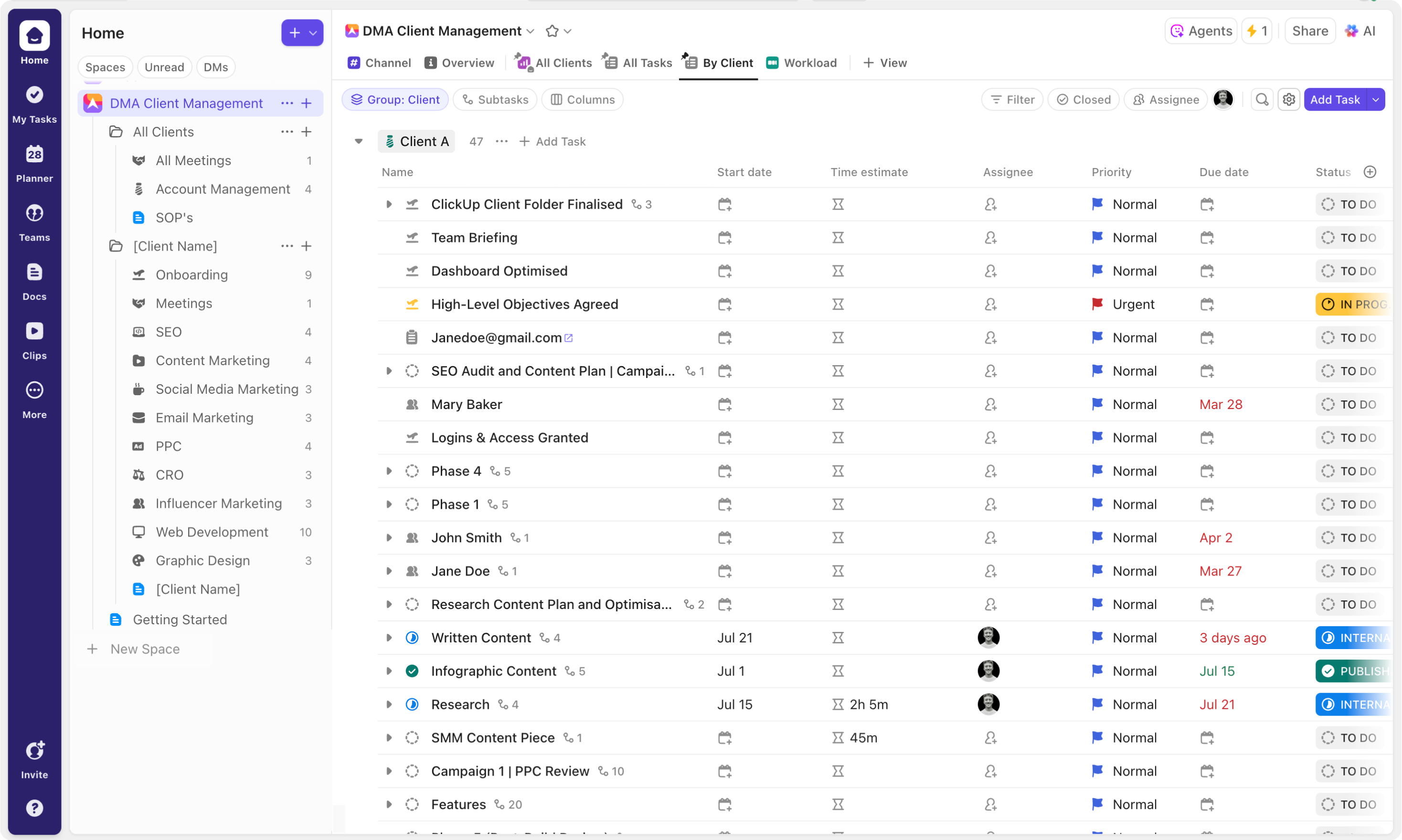
As you move up the hierarchy, it’s important to be able to compare and contrast clients, helping you track performance and identify pain points. In order to do this successfully, you need to use custom fields to group tasks under their relevant clients. For this, dropdowns, relationships, tags and labels are all applicable. We recommend using a dropdown field in combination with a relationship field for the most impactful results. The dynamic nature of relationship fields makes it the most powerful of these options. Any two related tasks (for example a task representing the client and a task in the corresponding client folder) are interconnected. As such, whenever you click into the relationship field, you are directed to the related task, where you can view all of its data – delivering far greater insights than other static custom fields. In the same way, when you group your tasks by your client relationship on the space level, the grouping that appears is dynamic. Not only can you click into this grouping to view the client task, but as the status of the client changes, so the colour of the grouping adjusts.
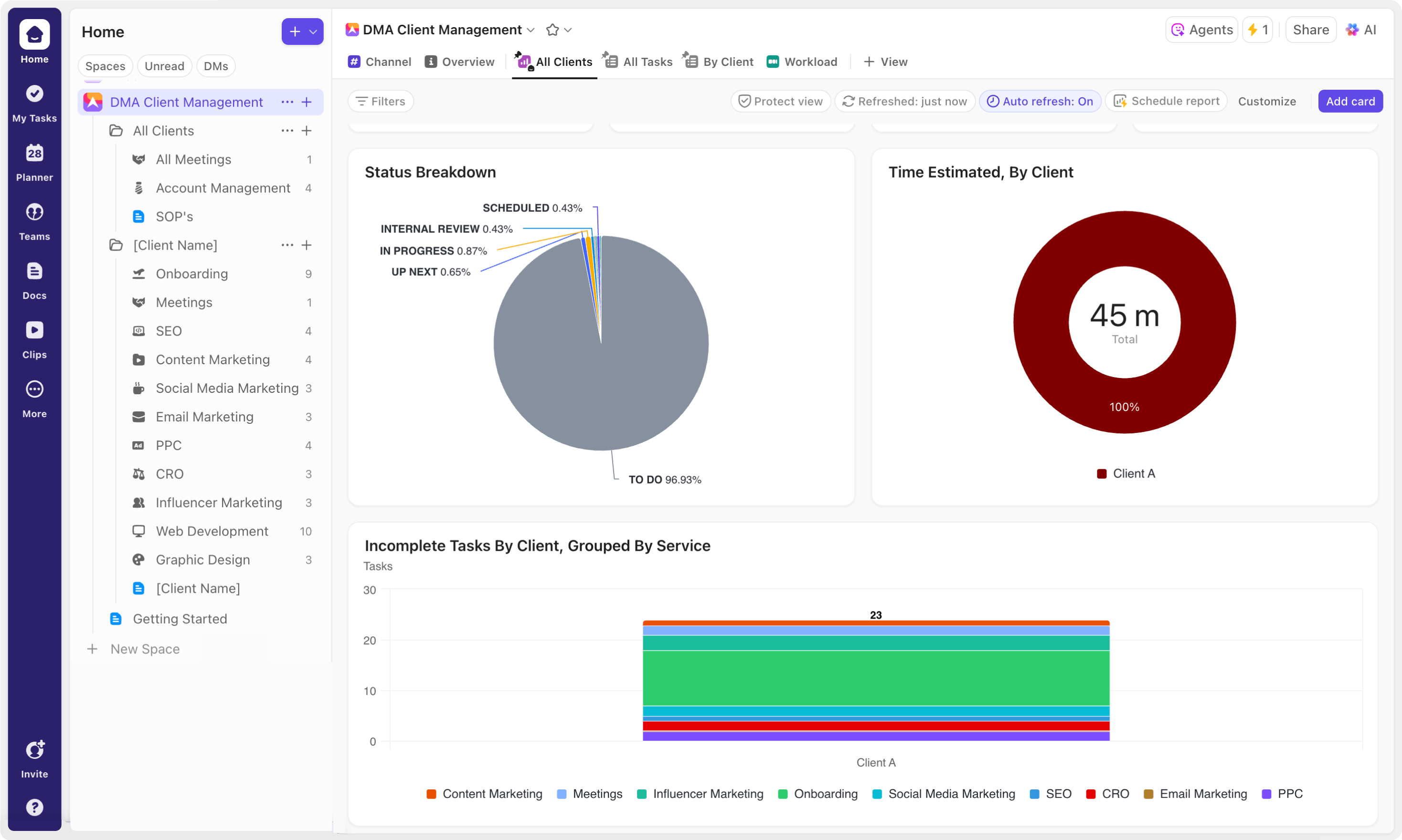
While the relationship field still is incredibly useful, it still has limited functionality when it comes to dashboard reporting. That’s why we suggest pairing it with a client dropdown field. With the client dropdown, you get extensive dashboard functionality allowing you to group data by client across bar graphs, line graphs, pie charts and more. This combination gives you both the relational flexibility and reporting power you need.
So how do you ensure that each client tasks receives the corresponding relationship and dropdown options? The key is to build automations directly into your client template. This ensures that when a task is created, or moved, into the client’s folder or list, the appropriate relationship and dropdown fields are automatically populated.
All Clients Folder
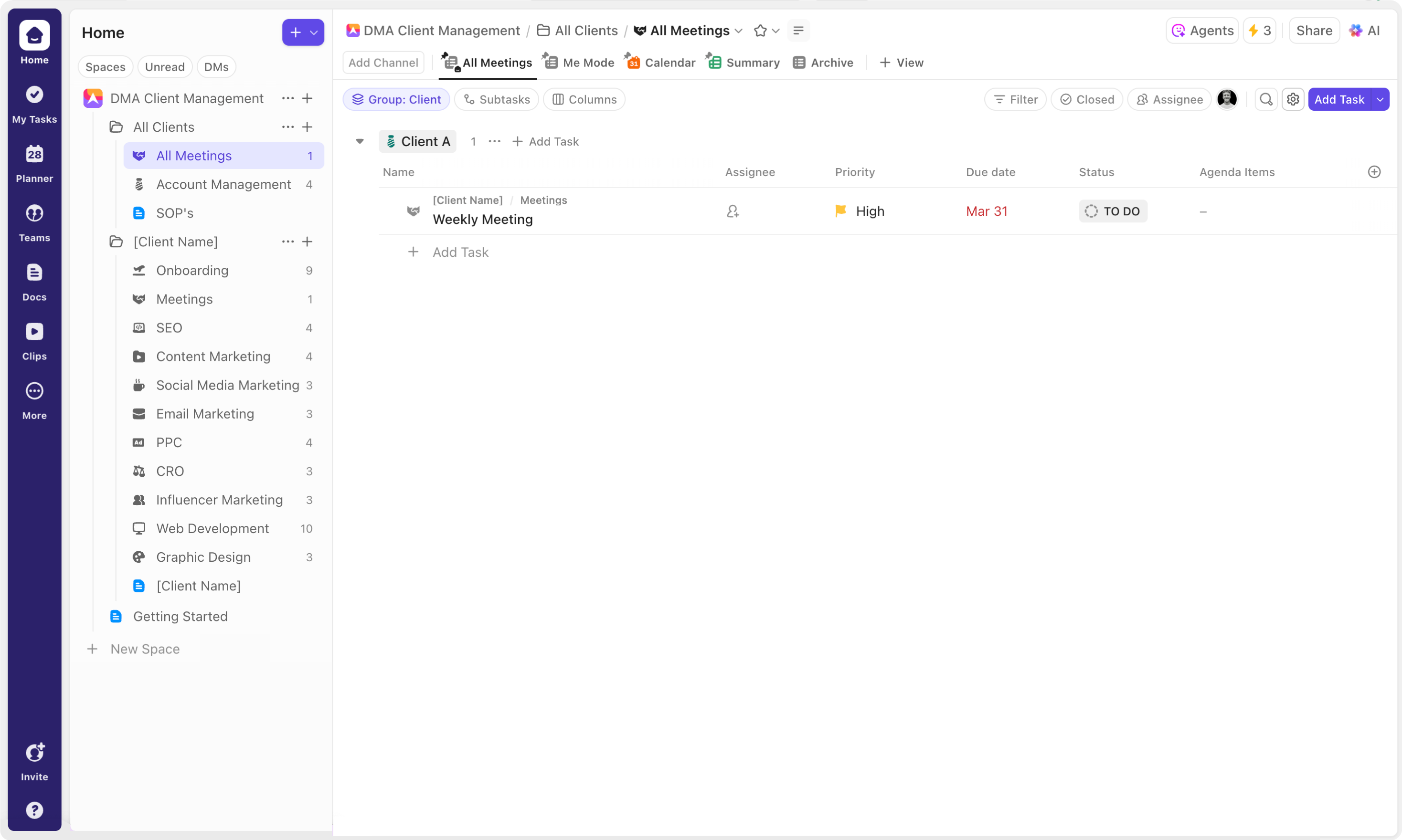
One final add on that we suggest implementing for additional visibility, is an “All Clients” folder. This folder is designed to provide overview insights on a number of client workflows. For example, you might include “All Meetings”, “Support Tickets”, and “Account Management” lists. The “Account Management” list would serve as a basic CRM and form the client library needed for your relationship field. “All Meetings” and “Support Tickets” would serve as single list locations to view all of your corresponding tasks from each individual client. Using sophisticated automations, you can ensure that whenever a task is created in an individual client's “Meetings” or “Support Tickets” list, it is automatically added to the corresponding global list. These consolidated lists provide the big picture, allowing team leads or managers to get a quick look at upcoming meetings, identifying clashes, or capacity issues without having to comb through client folders.
Building a ClickUp workspace that truly works for your organisation requires in-depth knowledge of the platform and how best to leverage it to facilitate your unique systems and processes. When it comes to digital marketing agencies, it’s all about developing your eco-system with the granularity to effectively and efficiently manage each of your client workflows, without losing sight of the bigger picture. With full-stack client templates, an “All Clients” folder, and sophisticated client groupings you get the best of both – zeroing in on the tasks that need doing, while ensuring that you, and your clients, maintain a clear view of the bigger picture.